
Kashier POS Terminal
Overview
End-to-end UX design for Kashier's point-of-sale terminal app, a touch-optimised payment interface handling card payments, wallets, refunds, installments, settlements, and reporting for merchants across Egypt.
Kashier's POS terminal puts the full payment stack in a merchant's hands. The app runs on dedicated Android terminals at retail counters, where every flow needs to be learnable in minutes and operable under pressure. A cashier mid-transaction can't afford to hunt for a button.
The design work covered the complete surface of the app, from the splash screen a merchant sees at startup to the settlement report that closes the day.
Payment Methods
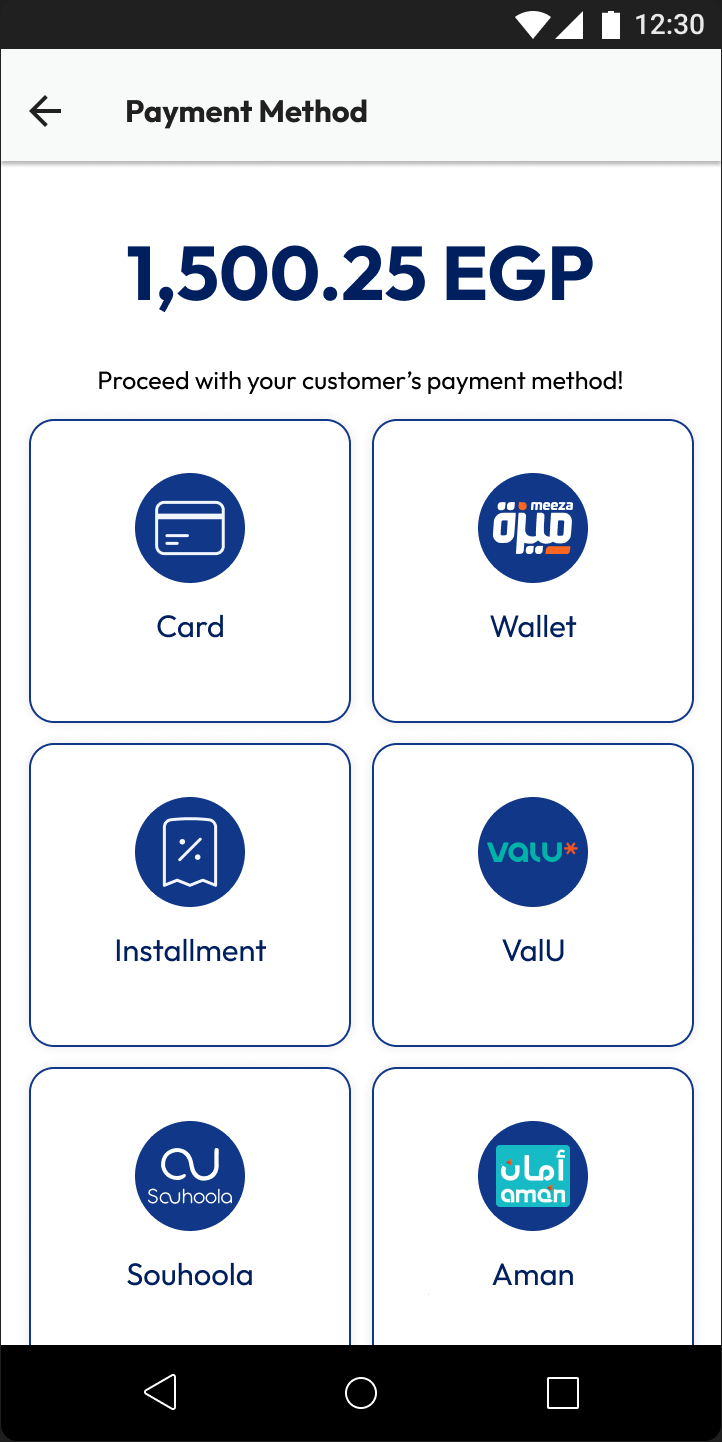
Nine payment methods were designed as distinct, clearly differentiated flows. The payment method selection screen anchors the experience: the cashier enters the amount, then chooses how the customer wants to pay.










Each method has its own flow logic. Card payments hand off to the EBE payment processing app. Wallets, InstaPay, and most BNPL providers follow a generate-scan-confirm QR pattern. Bank installments route through the card network, and Contact runs an on-terminal ID-and-OTP flow. The underlying consistency is deliberate: once a cashier knows one QR flow, the rest are immediately familiar.
Card Payment
The card payment flow is the terminal's most common path. Speed and clarity are non-negotiable, a declined card or a confused cashier creates friction at the moment of sale.
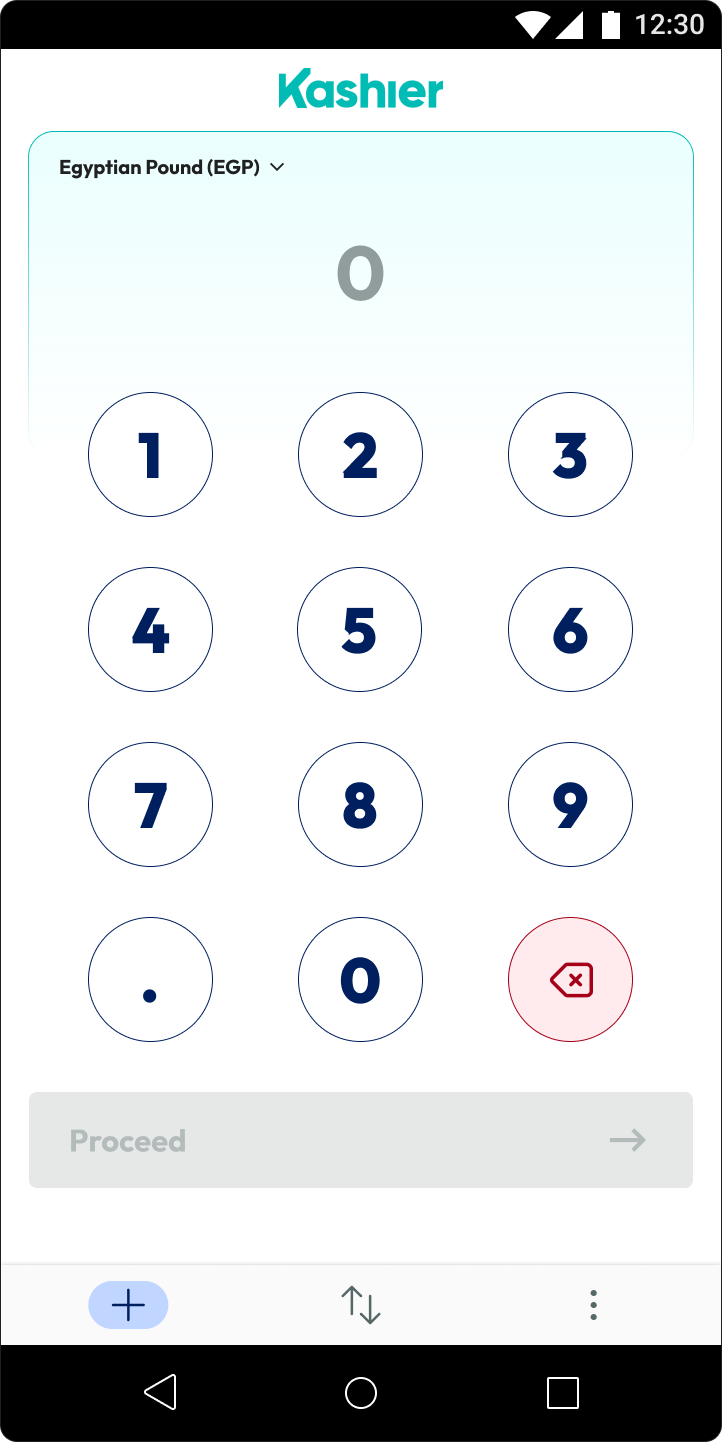
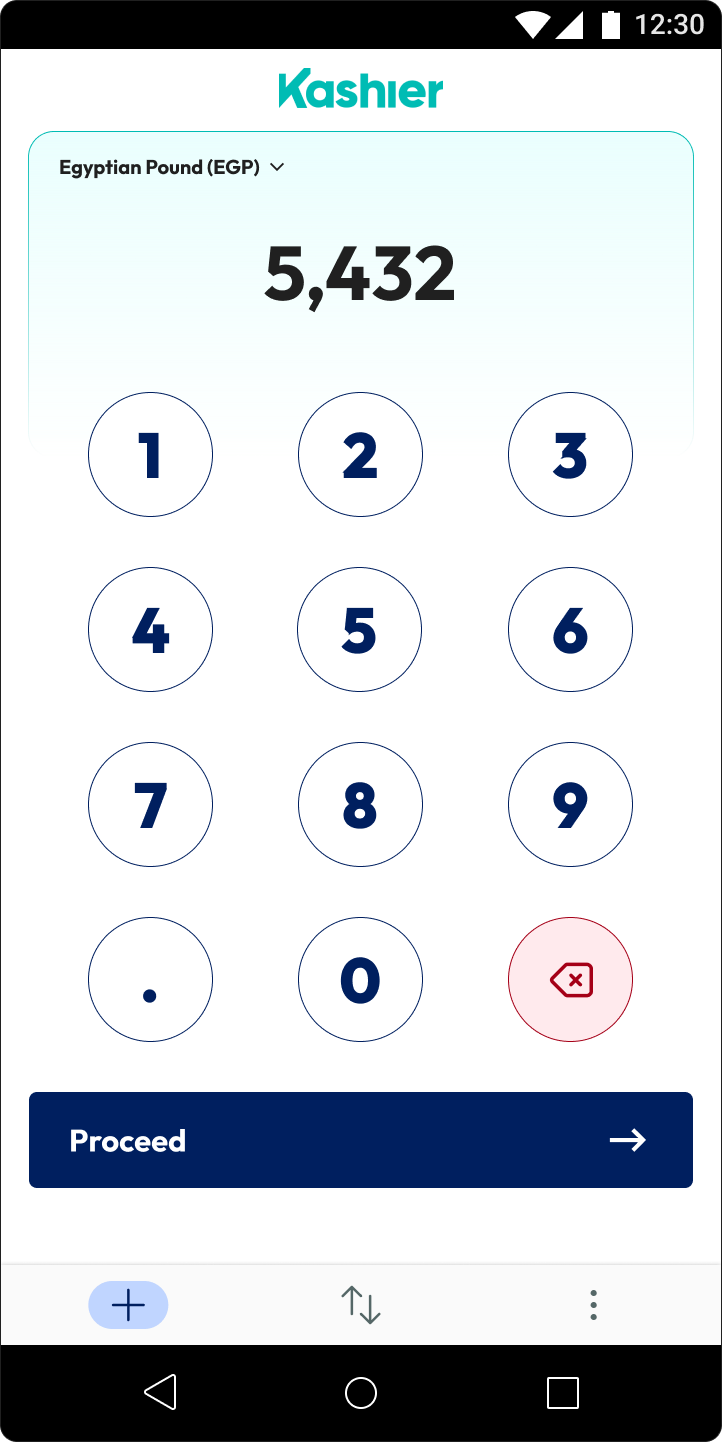

Amount entry is the first screen the cashier sees after login. A large numeric keypad with a currency selector lets them type the sale amount without the decimal, it's inserted automatically. The amount is confirmed before proceeding to keep errors out.
Payment method selection presents the options as a grid of equal-weight tiles. Card, wallet, installment, and BNPL sit at the same visual level so the cashier can tap immediately without reading.
EBE handoff is a deliberate full-screen transition. Kashier's terminal delegates card processing to EBE's payment app, which handles NFC, chip-and-PIN, and magnetic stripe. The screen communicates this clearly so cashiers know they're waiting on the payment app, not the Kashier app.
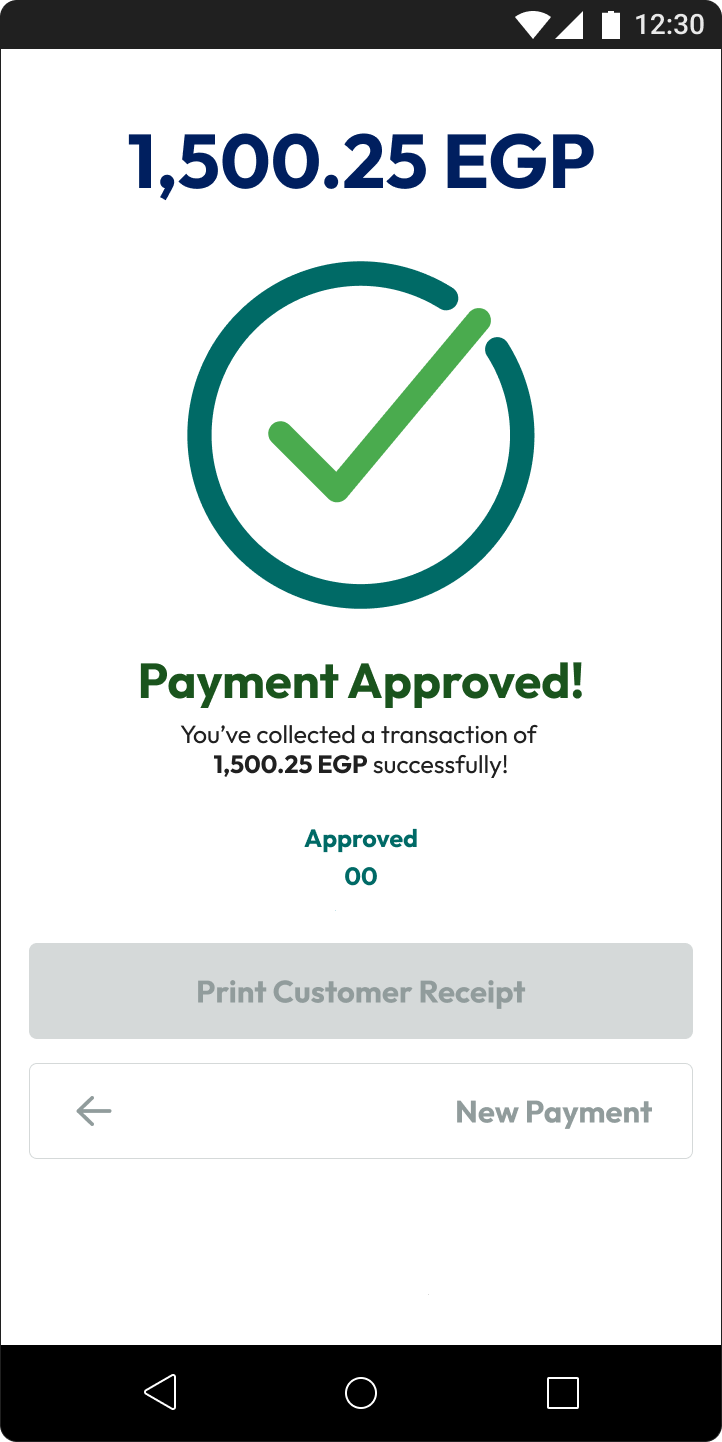
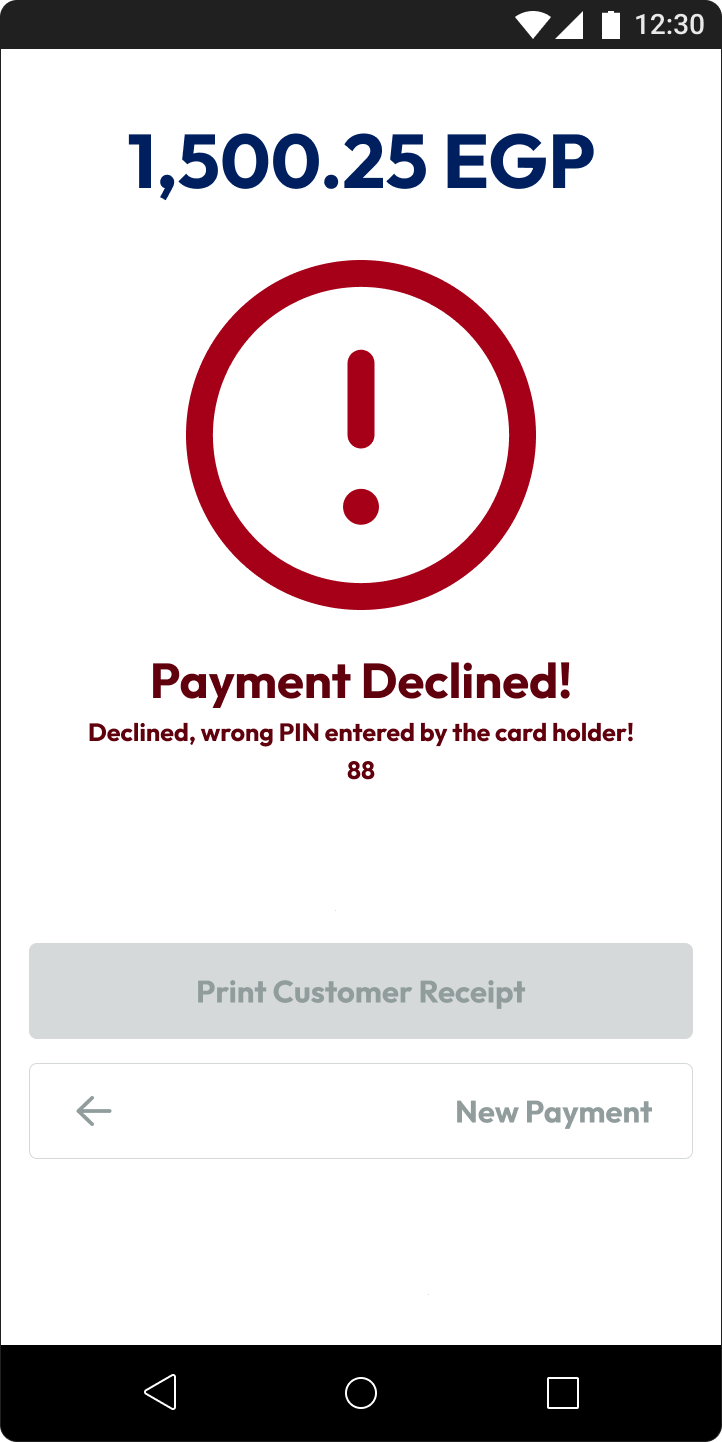
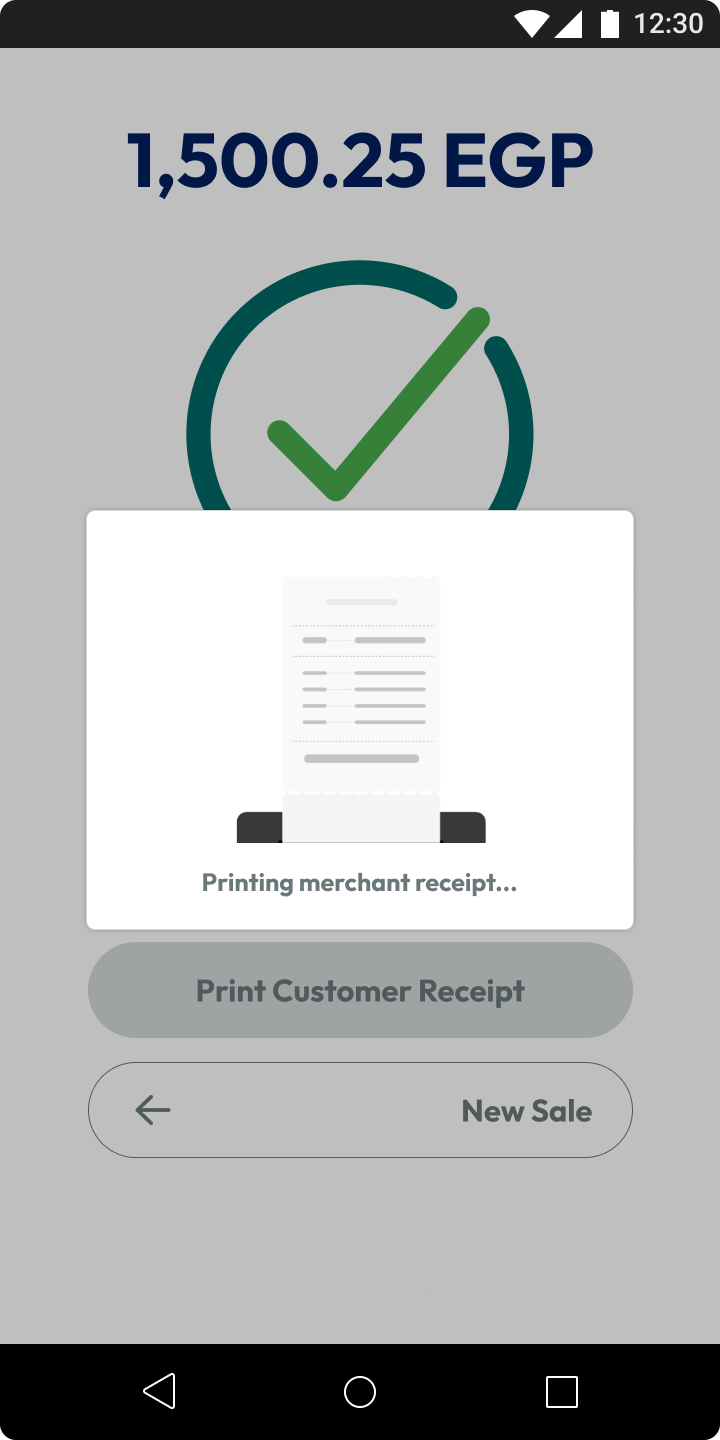
Approved and Declined states are visually unambiguous, teal check for success, red exclamation for failure, with copy that gives enough context (transaction amount, response code) without overwhelming the moment.
Receipt printing happens automatically: merchant receipt prints first, followed by a five-second wait and the customer receipt. The UI shows the printing state so the cashier knows exactly where in the sequence they are.
InstaPay
InstaPay brings instant bank transfers to the point of sale. The customer scans a QR code with any bank app that supports InstaPay, no card, no wallet, no app install required.
The five-minute countdown on the QR screen is the key design challenge: if the customer takes too long, the QR expires and must be regenerated. The countdown is visible but calm, not alarming, because in most cases the transaction completes in under thirty seconds.
Buy Now, Pay Later
Five BNPL providers were integrated into the terminal. Four of them, ValU, Souhoola, spark it, and Aman, share the same QR-based handoff: the cashier generates a code, the customer approves the purchase in their BNPL app, and the terminal receives confirmation. Contact takes a different path, verifying the customer's identity on the terminal itself rather than handing off to an app.
The design consistency across the QR providers matters here. A cashier at a busy counter shouldn't need to remember which one requires which interaction, the terminal's role is always the same: generate the QR, wait for confirmation, while the provider-side complexity stays in the customer's app. Contact is the deliberate exception, an ID-and-OTP flow handled entirely at the counter for customers who don't have the provider's app.
Transaction Management
Beyond payments, cashiers need to handle what happens after a transaction completes.
Transaction Void cancels a payment before the day's batch is settled, a fast path with a confirmation gate to prevent accidents. Available only within the same shift.
Full Refund and Partial Refund operate post-settlement. Full refund returns the entire amount. Partial refund introduces an amount field with live validation against the original transaction value. Both flows anchor on the original transaction record so the cashier always knows what they're reversing.
Reprint Transaction Receipt lets merchants pull any past receipt, essential when customers need a duplicate for accounting or expense tracking.
Search and Filter Transactions surfaces the terminal's full history with date, method, amount, and status filters. Touch targets are large enough to operate quickly on a busy counter.
Reports & Settlements
Three report types give merchants visibility at different time horizons.
Shift Reports summarise everything processed during a single session, cashier handoff-ready, showing transaction count and total.
Full Reports aggregate across all shifts in a selected date range.
Batch Reports cover the settlement batch, the block of transactions submitted to the bank for clearing. These tie directly to bank statements, so clarity in labelling is critical.
Daily Auto Settlements closes the batch automatically at end of day. The flow surfaces the settlement summary, transaction count, total value, any pending items, before the merchant confirms and submits.
Settings
Two persistent settings let merchants configure the terminal for their context.
Change Default Language switches between Arabic and English globally. Change Default Currency sets the base currency for amount display. Both require confirmation steps to prevent accidental changes during busy periods.
Outcome
Nine payment methods, five of them BNPL providers with different back-end logic, collapse into a small set of terminal patterns, so a cashier who has learned one QR flow can operate the four QR providers without additional training. The two exceptions are handled deliberately: the card flow hands off to EBE for the parts that need dedicated payment hardware, and Contact runs an on-terminal ID-and-OTP flow, both kept visually consistent with the rest of the app so cashiers aren't context-switching between unrelated interfaces. Transaction management, reporting, and settlement round out the app beyond the point of sale, giving merchants the same clarity after a sale that cashiers get during one: void, refund, reprint, and search all anchor on the original transaction record, and shift, full, and batch reports give merchants visibility at the time horizon they need without cross-referencing multiple views.